Independent comparison. Some links are affiliate links; we may earn a commission at no extra cost to you. It never changes the order.
Klaviyo email marketing is built for online stores: it connects to your shop, records what each customer views and buys, and uses that data to send automated emails (welcome, abandoned cart, post-purchase, winback) and targeted campaigns to segments such as "bought twice, not in 90 days". It suits shops on Shopify, WooCommerce or BigCommerce that want to sell more from their own list. It is less useful for a blog or a service business. Plans and limits below were checked 12 Nov 2026 on Klaviyo's own pages.
This guide is desk research: it is based on the vendor's pricing page and help docs; we did not build a test account.
What Klaviyo is, in plain terms
Most email tools start from a list of addresses. Klaviyo starts from a customer profile. Each profile holds an email address (and, if you collect it, a phone number) plus a timeline of events: viewed a product, added to cart, placed an order, opened an email. Those events come from your store integration and from Klaviyo's tracking on your site.
Everything else in Klaviyo reads from that profile:
- Campaigns are one-off sends to a list or segment, such as a sale announcement.
- Flows are automations that start when something happens, such as a checkout being left.
- Segments are groups that update themselves as people's behaviour changes.
- Forms collect sign-ups on your site.
Klaviyo also sells SMS, mobile push, reviews, a Customer Hub and an AI assistant called Composer, but you do not need any of them to run email. Its product page says flows and campaigns can span email, SMS, WhatsApp and mobile push.
A word on the numbers you will see on Klaviyo's site. Its email product page claims a 63x average ROI from Klaviyo email, 70+ pre-built flows and 160+ templates. Those are Klaviyo's own claims, and the page does not explain how the ROI figure was calculated, so we do not use it to judge the tool.
How Klaviyo flows work
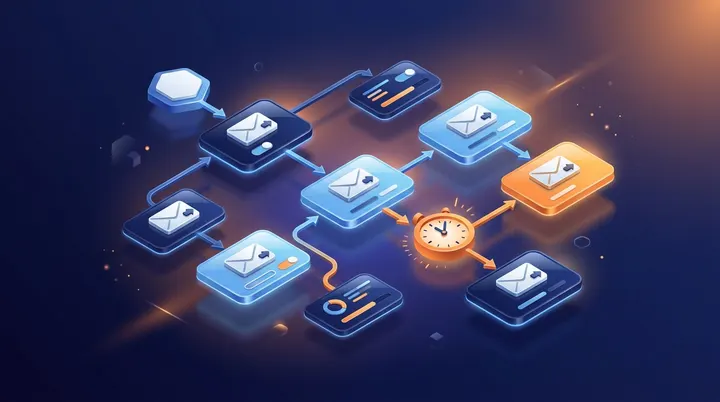
Klaviyo's help center defines a flow as a sequence of automated actions triggered by a behavior or event. You pick a trigger, then add emails, time delays and conditional splits. A split can send people down up to 20 paths, for example "has ordered before" versus "never ordered".
The trigger types listed in the help center are:
- List: someone joins a list (a typical welcome series).
- Segment: someone enters a segment.
- Metric: someone does something, such as placing an order or starting checkout.
- Date property: a date on the profile comes round, such as a birthday.
- Price drop: an item someone viewed or started checkout with gets cheaper by an amount you set.
- Low inventory: an item someone viewed reaches a stock level you set.
Klaviyo suggests building four flows first, in this order: a welcome series that turns new subscribers into first-time buyers, an abandoned cart flow, a post-purchase flow that thanks the buyer and suggests related products, and a winback flow for past customers who have gone quiet. The help article's own example spaces welcome emails with a 24 hour (or longer) delay. Each step in a flow shows a 30-day performance snapshot, so you can see which email earns its place.
These four flows are the main reason stores pick Klaviyo. Once they run, they send every day without anyone pressing "send".
Segments: how Klaviyo targets the right people
In Klaviyo, lists and segments are different things. Lists are static: people are on them because they signed up or you added them. Segments are defined by conditions and, in Klaviyo's words, grow as people meet the conditions and shrink as they no longer meet them, updating close to real time.
The conditions the help center describes include:
- what someone has done or not done (placed an order, opened an email, viewed a product), with filters on the event's details;
- whether someone can receive marketing (subscribed to email or not);
- profile properties, such as country;
- predicted customer lifetime value, from Klaviyo's predictive analytics.
Practical segments for a small store: "engaged in the last 90 days" for regular campaigns, "bought once, no second order" for a cross-sell, and "high predicted value" for early access to a sale. Sending only to engaged people also helps your billing, because Klaviyo counts active profiles, not every address you ever collected.
Integrations: where the store data comes from
Klaviyo's pricing page names Shopify, WooCommerce, BigCommerce, Adobe Commerce (Magento), Salesforce Commerce Cloud and Wix among its store integrations and says it connects with 400+ apps.
The Shopify integration is the most documented. According to the help center, it brings customer profile and order data into Klaviyo. Viewed Product and Active on Site are tracked by default, and you can switch on Viewed Collection, Submitted Search and Added to Cart. Two points that catch people out:
- Disconnect your old email tool from Shopify first. Klaviyo warns that if you do not, double opt-in emails could go out to your existing subscriber list.
- Consent rules limit tracking. Depending on your Shopify privacy settings, Klaviyo may not track visitors in the EU, EEA, UK and Switzerland until they consent. Browse-based flows will reach fewer of those visitors.
If your shop runs on a platform without a native integration, you can still send email, but the event data that powers flows and segments will be thin.
How to start with Klaviyo: 7 steps
- Check the cost at your list size first. Klaviyo bills by active profiles. Read our Klaviyo pricing breakdown for the full price ladder and the auto-upgrade rules, then put your contact count into the email marketing cost calculator, which shows what you would pay each month on nine platforms at that size, marking the tiers we confirmed on official pages.
- Connect your store. In Klaviyo, open Integrations, install your platform's integration and approve permissions. On Shopify, turn on the Klaviyo app embed in your theme and disconnect your previous email tool.
- Set up a branded sending domain. Klaviyo's help center says "send" is the most common subdomain and recommends Dynamic routing. DNS changes can take up to 48 hours, so do this early.
- Import contacts carefully. Bring over only people who agreed to marketing. Suppressed contacts do not count toward billing, so suppress long-inactive addresses rather than paying for them.
- Add one sign-up form. The Free plan in the Shopify app allows 1 live sign-up form, so start with a single pop-up or footer form.
- Build the four core flows. Welcome, abandoned cart, post-purchase, winback. On Free you can only have 3 automated messages live at once, so a full set of flows means a paid plan.
- Warm up, then send campaigns. New accounts, and domains registered within the last 30 days, should warm their marketing sending in the first 2 to 4 weeks, per Klaviyo. Start with your most engaged segment and widen slowly.
If you are new to email in general, the rules on consent, unsubscribes and sender authentication are covered in our guide to email marketing for small business.
When Klaviyo is worth paying for, and when it is not
What it costs. The Free plan covers 250 active profiles and 500 emails a month, with no A/B testing and Klaviyo branding. Paid plans start at $20 a month (Email) or $25 (Marketing) at 500 active profiles, and $30 or $40 at 1,000. At 5,000 profiles it is $100 or $130. Above 10,000 the price jumps: $150 / $195 at 10,000 profiles, then $175 / $225 at 10,500. Paid accounts move up a tier automatically when profiles exceed the plan, and all plans are billed monthly.
Klaviyo is worth it when:
- you run an online store on a supported platform and want flows that react to browsing and buying;
- you will use segments based on order history, not just "everyone on the list";
- you want email and SMS in one place later on.
A simpler tool is enough when:
- you send a newsletter and a welcome sequence and nothing more;
- you are a creator, blogger or service business with no product catalogue;
- your list is growing fast but most subscribers never buy, so you would pay for profiles that earn little.
Cheaper starting points we verified on 10 Nov 2026: MailerLite Comfort from $12 a month at 500 subscribers (MailerLite pricing), Omnisend Standard from $16 at 500 contacts (also e-commerce focused), and Mailchimp Essentials from $13 at 500 contacts. Creators should also look at Kit, whose Free plan goes up to 10,000 subscribers; see Kit email marketing. To compare head to head, read Mailchimp vs Klaviyo or Omnisend vs Klaviyo. If you also collect leads through Instagram DMs, our guide to what Manychat is shows how that feeds a list, and for the site side of a store stack see SEO spider software. All our guides are on the learn hub.
FAQ
What is Klaviyo used for?
Klaviyo is used by online stores to send email (and optionally SMS) based on what customers do. It pulls profile and order data from platforms such as Shopify, WooCommerce and BigCommerce, then runs automated flows like welcome, abandoned cart, post-purchase and winback, and campaigns to segments built on purchase history. It also sells reviews, a Customer Hub and an AI assistant called Composer as part of its plans.
Why are people leaving Mailchimp?
We have no survey data on why users switch, so we will not invent one. Two pricing rules on Mailchimp's own pages explain some moves: unsubscribed and non-subscribed contacts count toward its plan limits, and its Free plan has no automation flows. Stores that want behaviour-based automations often compare Klaviyo or Omnisend; creators often look at Kit or MailerLite.
What are the best email marketing platforms in 2026?
It depends on what you sell. For online stores that live on automated flows, Klaviyo and Omnisend are built around shop data. For newsletters and simple automations on a budget, MailerLite and Mailchimp start lower. Creators with large free lists can look at Kit. Rather than trust a ranking, enter your list size in our cost calculator and compare the plans side by side.
Is Klaviyo free to use?
Yes, up to a point. The Free plan covers 250 active profiles and 500 emails a month, with Klaviyo branding, no A/B testing and email support for the first 60 days. In the Shopify app it allows 3 live automated messages and 1 live sign-up form. When you hit the limit you are not charged, but sending pauses until you upgrade or clean your list.
Sources
- Klaviyo pricing page (US, USD), checked 2026-11-12
- Klaviyo email marketing product page, checked 2026-11-12
- Klaviyo help: Getting started with flows (updated 7 Oct 2026), checked 2026-11-12
- Klaviyo help: Getting started with segments (updated 20 Jan 2026), checked 2026-11-12
- Klaviyo help: Getting started with Shopify (updated 7 Oct 2026), checked 2026-11-12
- Klaviyo help: How to set up a branded sending domain (updated 30 Sep 2026), checked 2026-11-12
- Klaviyo help: How Klaviyo billing works (updated 20 Oct 2026), checked 2026-11-12
- Klaviyo help: Free plan limits in Shopify (updated 21 Sep 2026), checked 2026-11-12
- toolpriced email pricing data (MailerLite, Omnisend, Mailchimp; verified tiers only), checked 2026-11-10